

ALT PRO · LMT PRO · EMT PRO · Switzerland
Compounding software with Swiss ALT, LMT and EMT pricing
Compound magistral preparations and price them under the Swiss tariff, straight from the compounding record. Each new edition of the tariff arrives with an LMT PRO update.





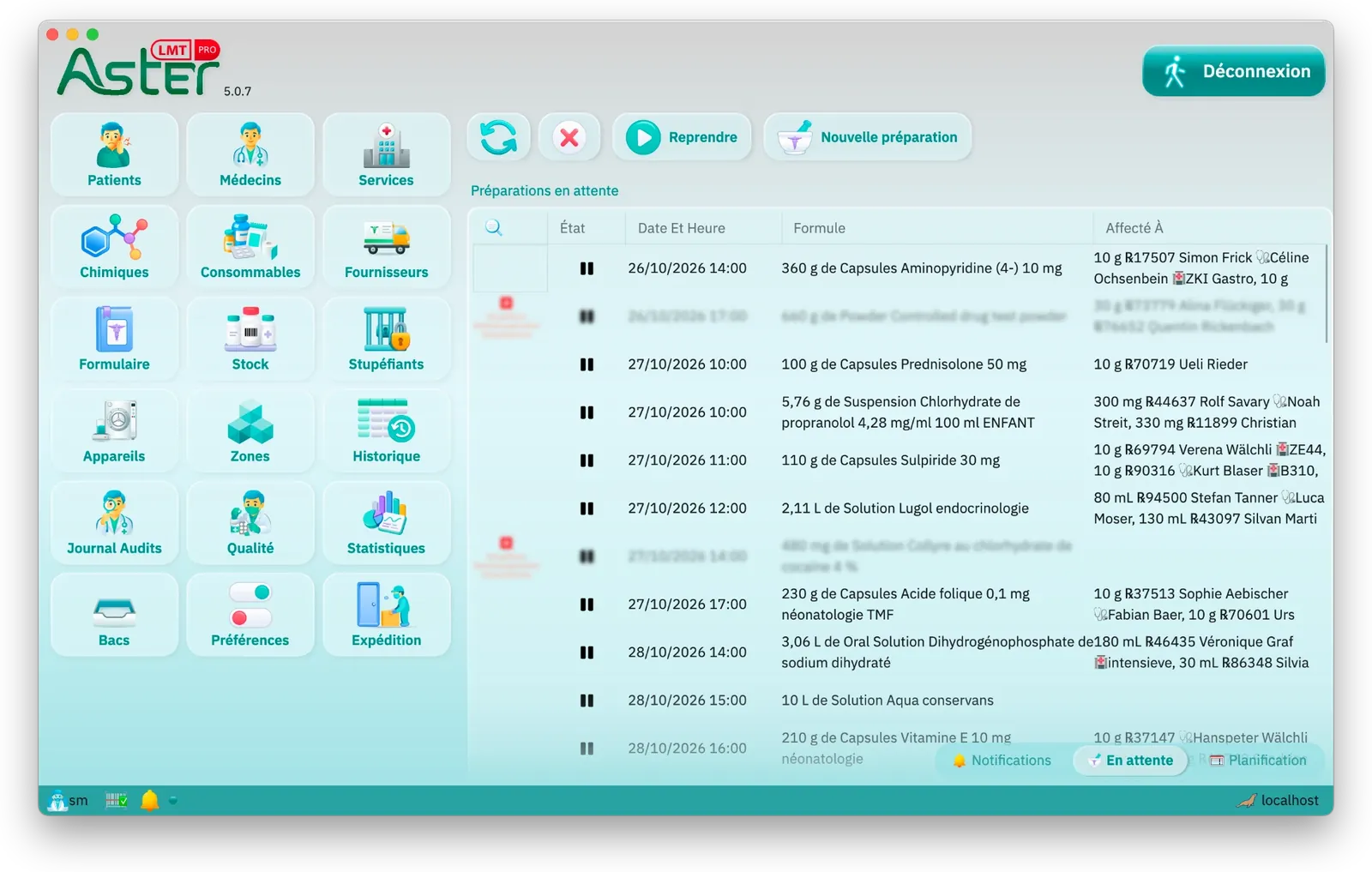
The Swiss tariff and the risk assessment, in practice
Pricing a magistral preparation under the Swiss tariff
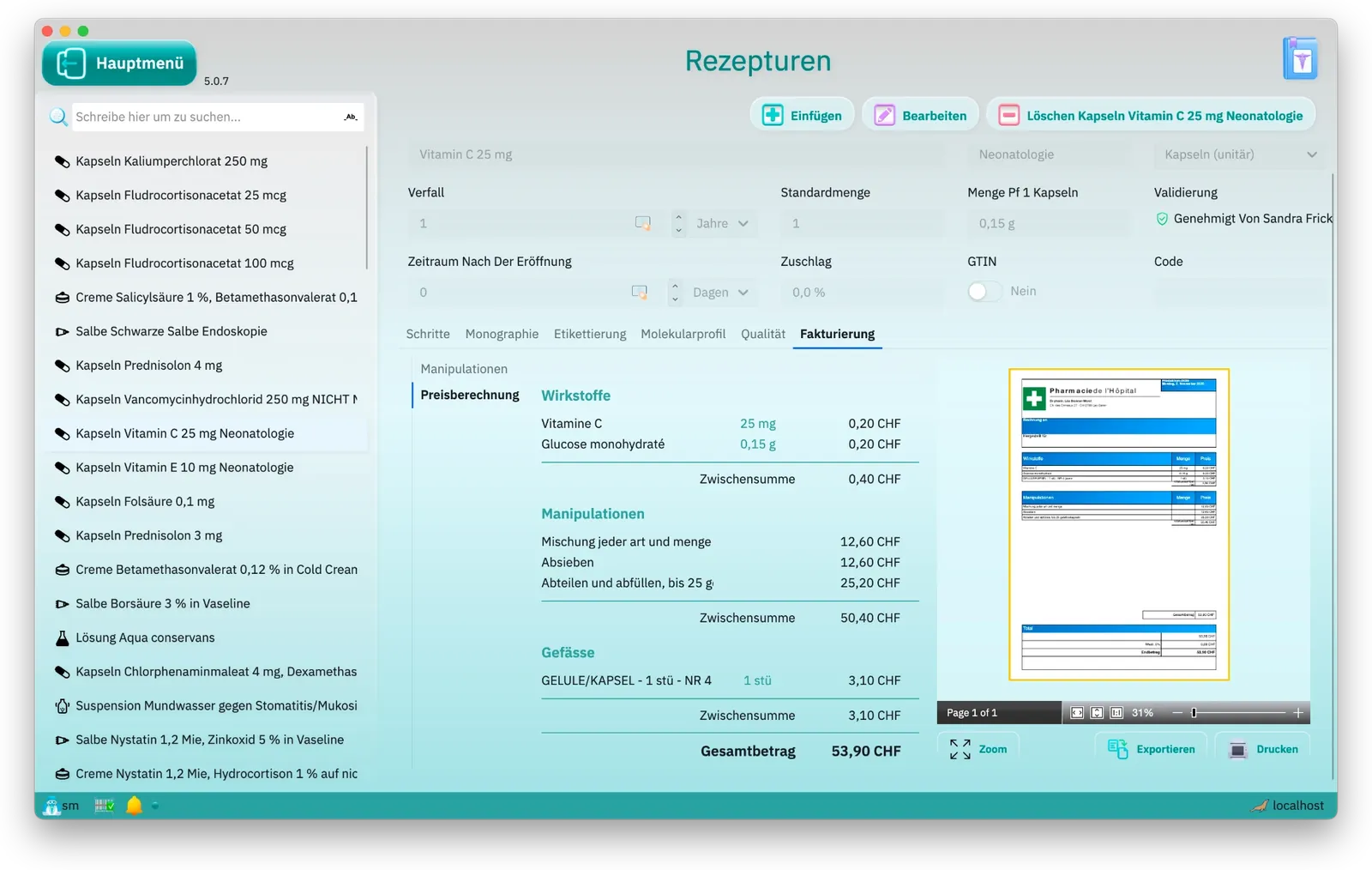
The tariff price is the sum of the substances, the containers and the manipulations. LMT PRO prices it on the formula itself: each line with its subtotal and the grand total, next to a preview of the invoice as it will print. The same calculation is used when the formula is chosen during compounding, on each assignment and on the invoice.
Substance prices and the tariff's quantity bands
The tariff prices a substance at fixed quantities, from 0.001 g to 1000 g. LMT PRO starts from the quantity in the whole batch, works proportionally between two bands up to the price of the upper band, and applies the factors 4.5 and 8 to large quantities. It suggests the substance's tariff name from its synonyms or CAS number; the pharmacy adopts it.
Container tariff: how many to charge
Each container in the catalogue is linked to its row of the containers tariff. The batch decides how many are charged, in whole containers: 100 g of cream in jars of up to 50 g is two jars, and 80 suppositories in moulds of 12 is seven moulds.
Manipulations and the tax-point value
Manipulations are chosen on the formula, in the tariff's own wording in French, German or Italian. Each is charged once per preparation, tax points × CHF 1.05, whatever the batch size. For suppositories, ovules and portioned teas, LMT PRO adds the surcharge for each further block of units from the form and the number of units.
An SL specialty in a magistral preparation
An SL specialty is priced from the Spezialitätenliste, found by its GTIN. Scanning a pack fills in its public price and pack size in the catalogue, without overwriting anything typed by hand; the preparation is charged per unit from that price. The SL file is downloaded from the federal publication service, and LMT PRO flags it once it is more than 30 days old.
A substance the tariff does not list
When the tariff has no price for a substance or a container, LMT PRO estimates the line from the sale prices of the formats in stock and marks it with an asterisk; when the formats disagree, it shows the midpoint with the range beneath. With no price at all, the line says so. A marked line shows that a tariff link is missing in the catalogue.
Risk assessment under Annex 3 AMBV
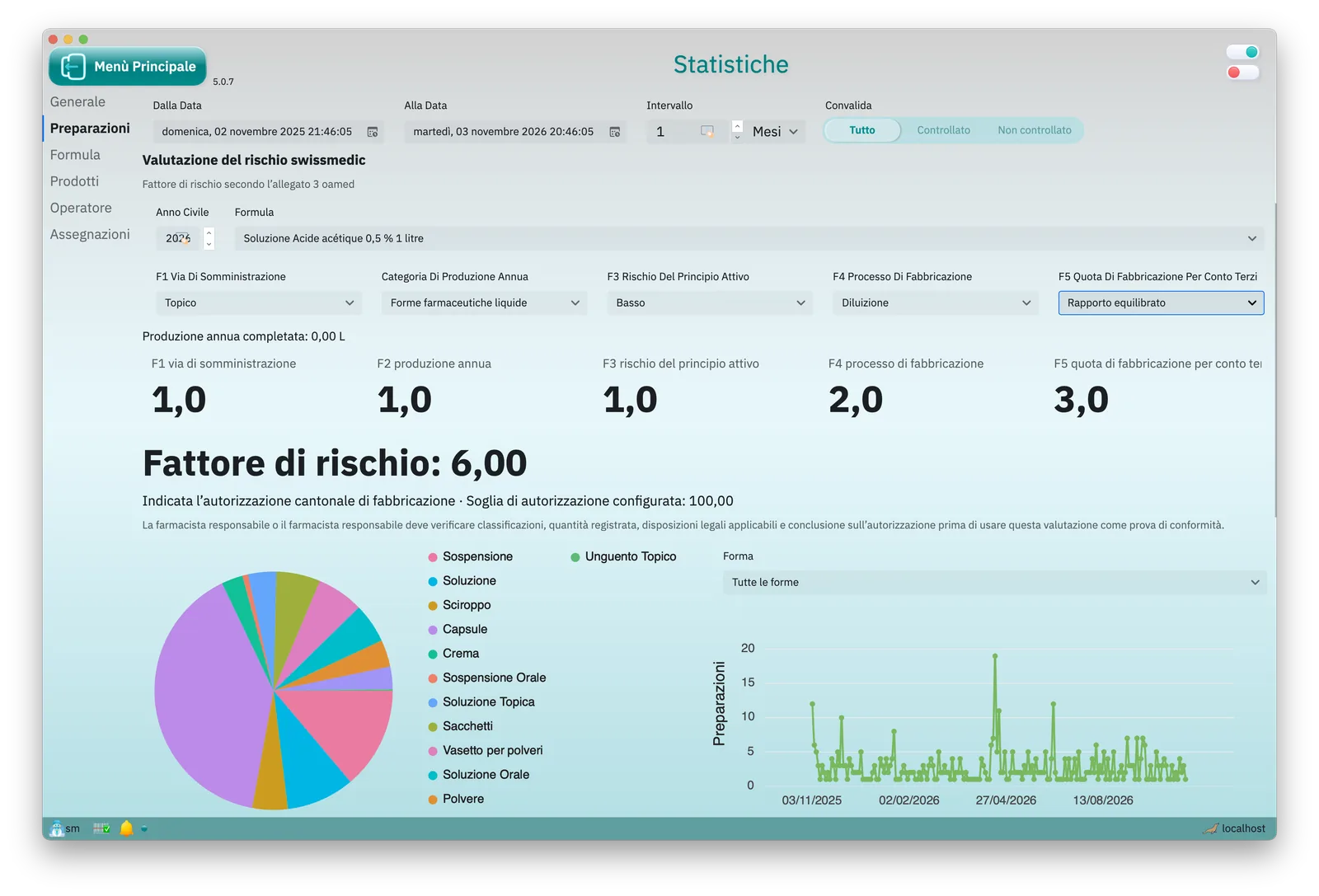
In the statistics, LMT PRO sums the annual production from completed preparations, multiplies the five factors chosen by the responsible pharmacist and compares the score with the site's threshold, 100 by default. It indicates whether the cantonal or the Swissmedic licence route applies: a calculation aid, not a substitute for the pharmacy's signed assessment.
LMT PRO at work
Formulas, step by step
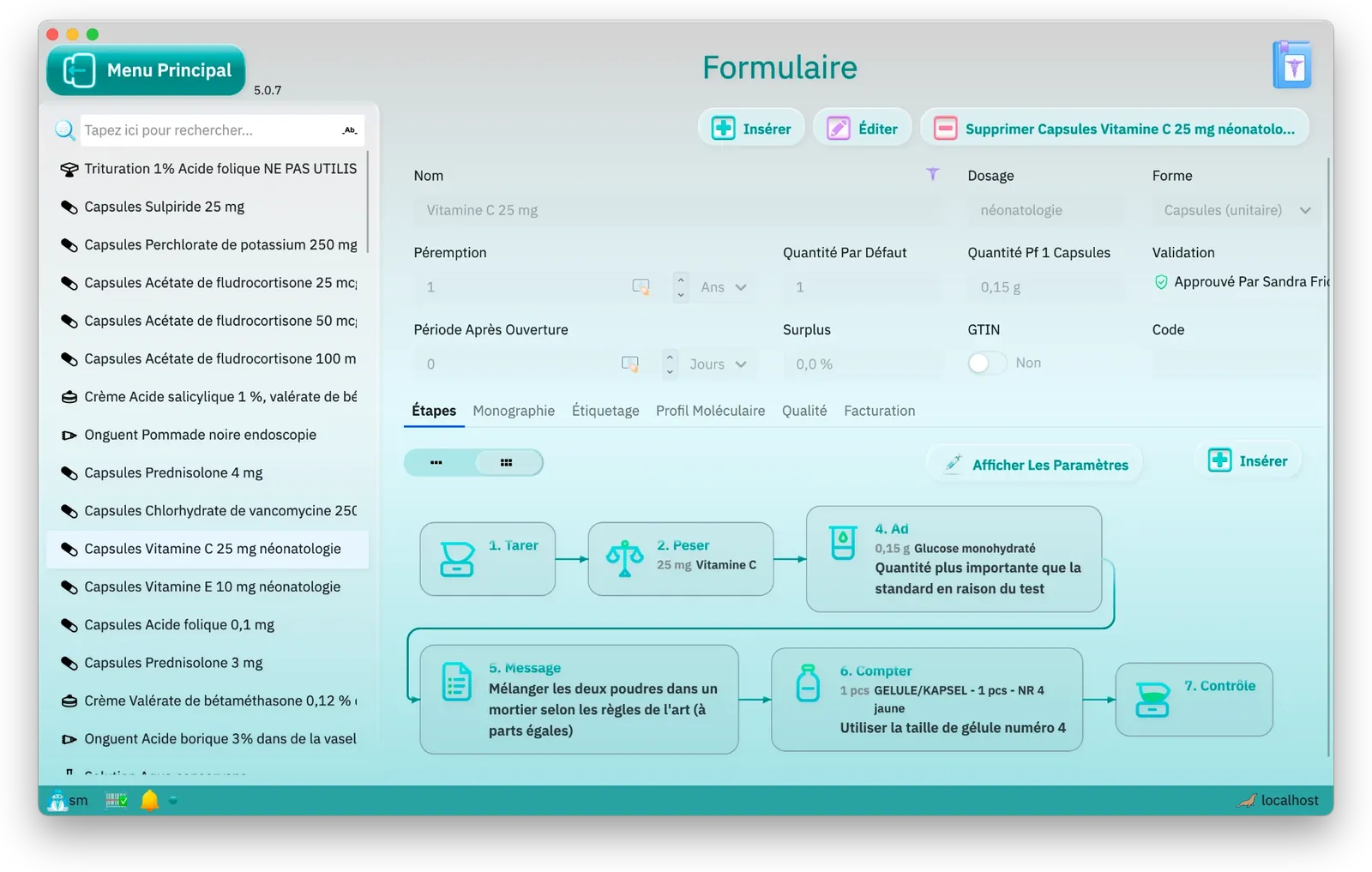
Each formula is a sequence of steps: tare, weigh, ad, count, check. It is approved before it can be compounded.
Assignments and price
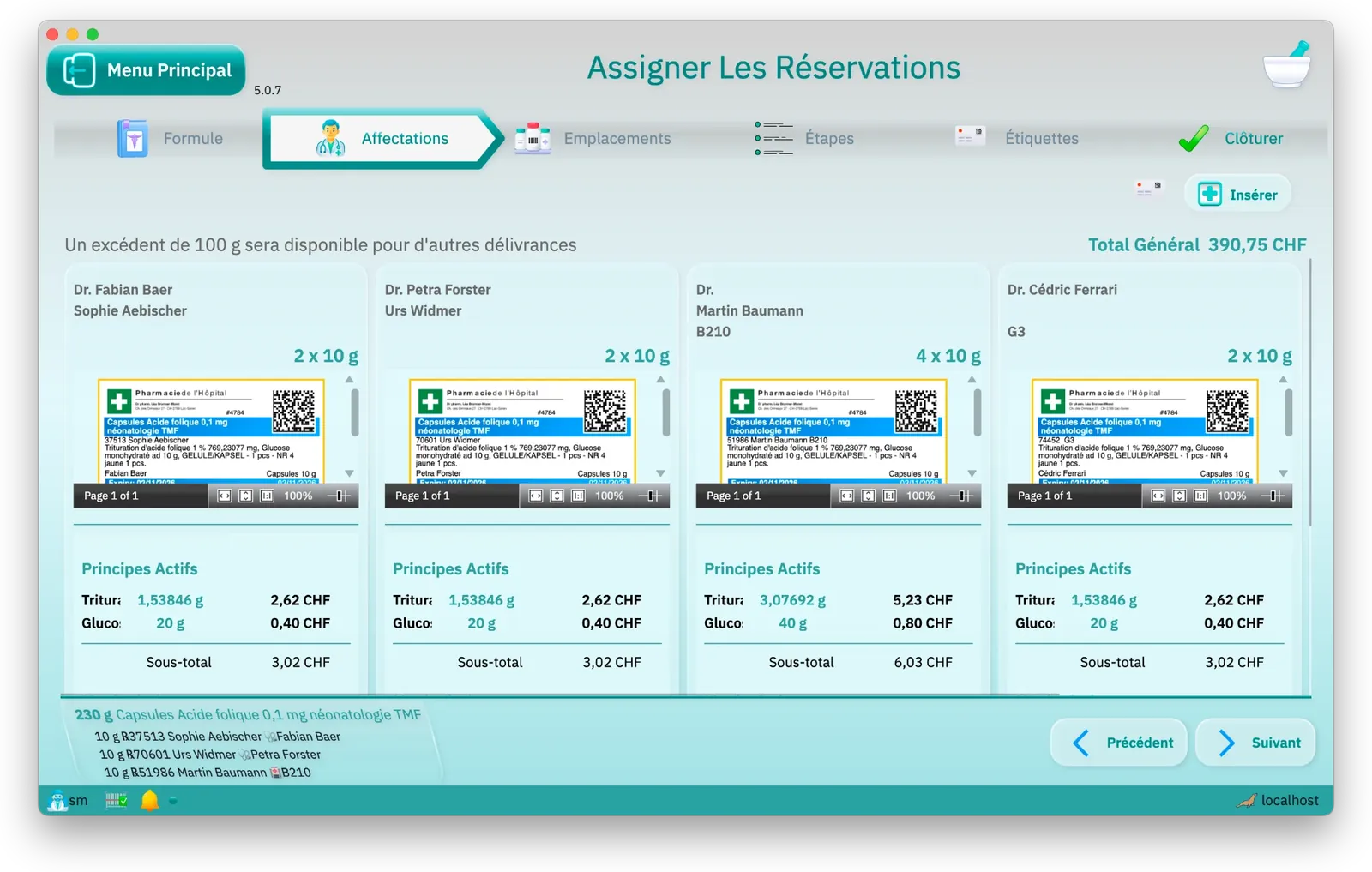
One preparation serves several patients: LMT PRO prepares the label and the price for each one.
Guided compounding
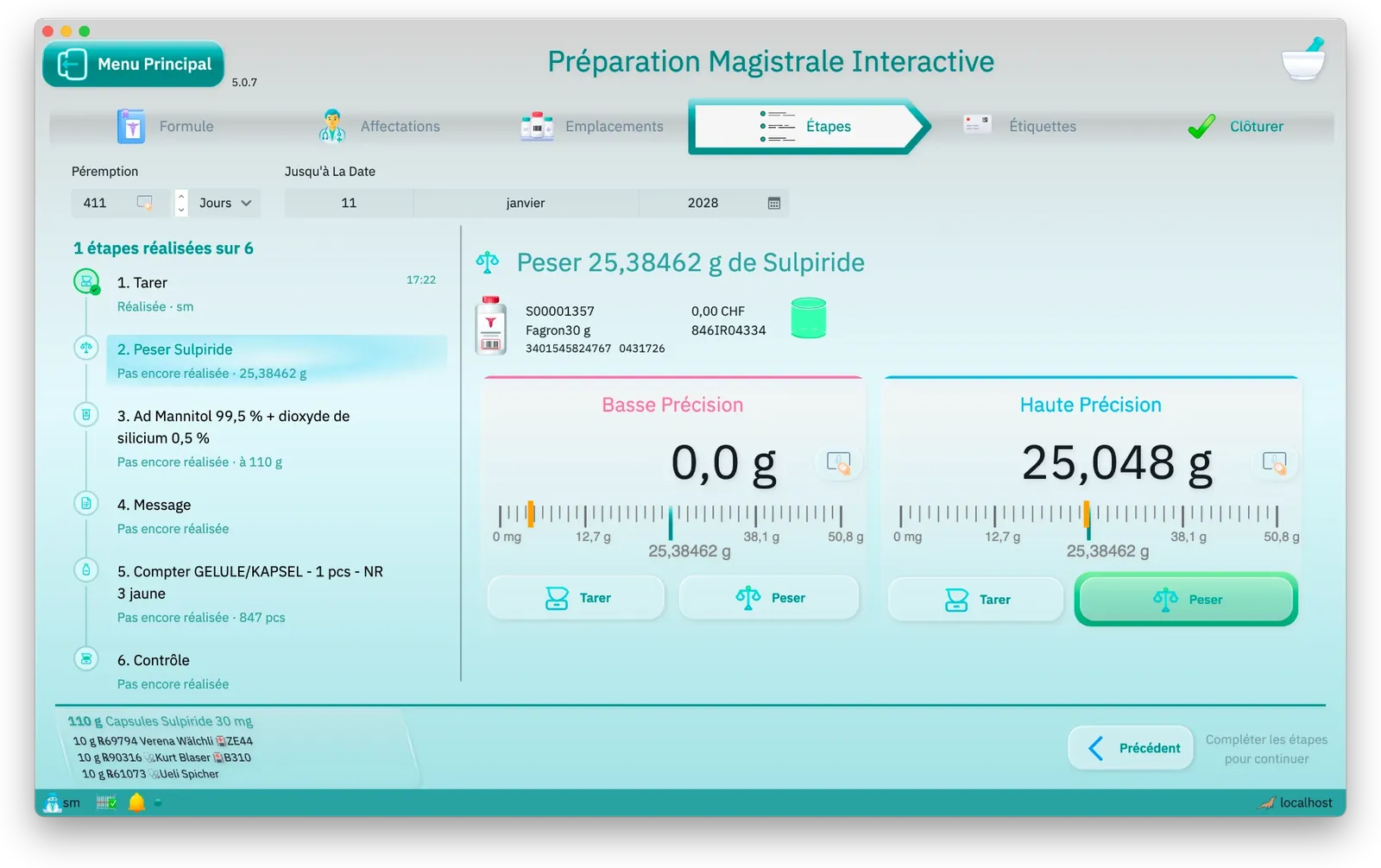
The connected scale shows live where the weighing stands against its target; the lot was scanned before weighing.
Specific gravity, measured
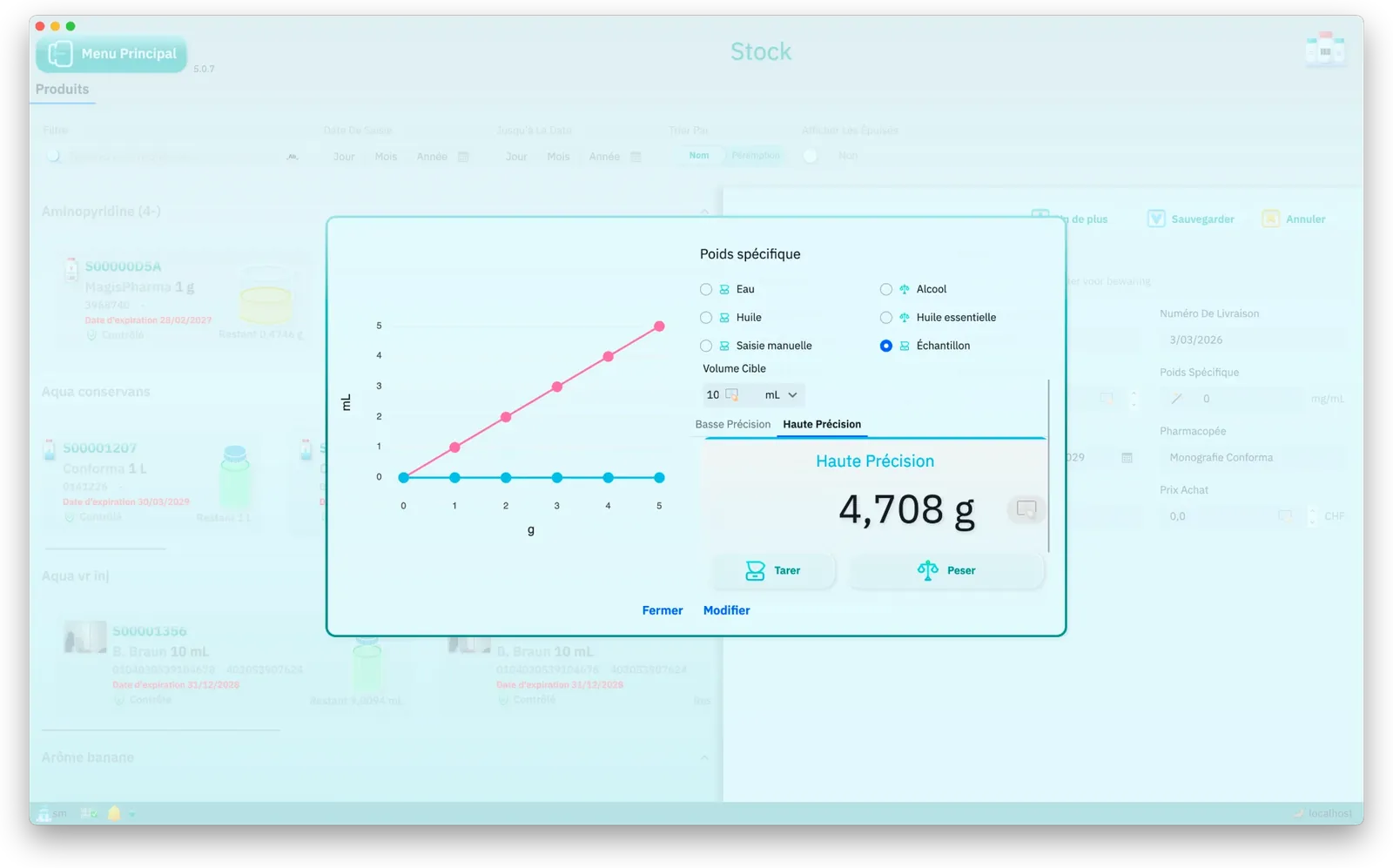
For liquids, LMT PRO determines the specific gravity from samples weighed on the scale, or from a typical value, so volumes and weights match.
Stock with its history
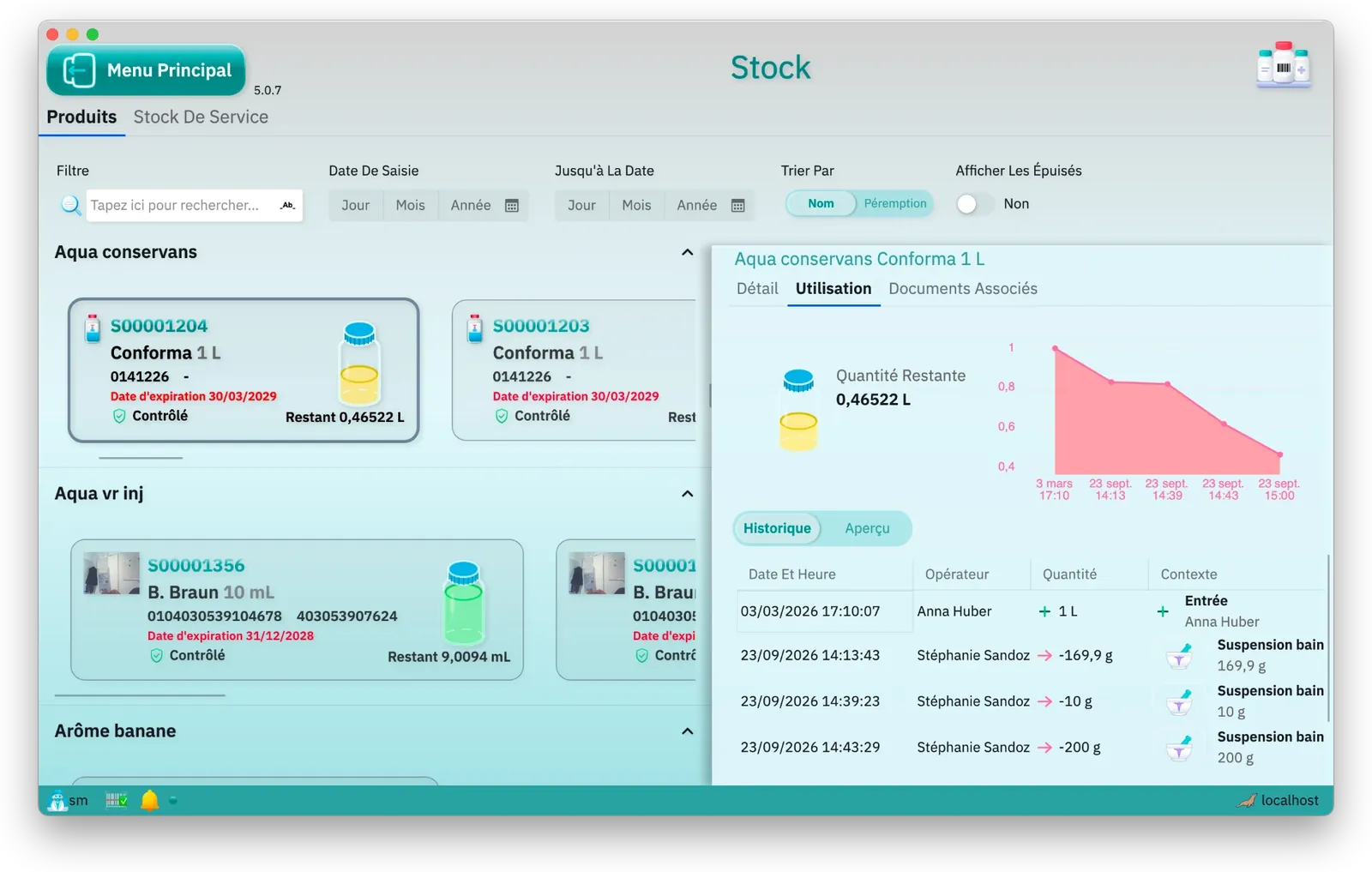
Each lot shows what is left, how it was used, and who took what and when.
Swiss tariff pricing
Substances, processing and containers, line by line, with the total and an invoice preview.
Statistics
Preparation volume, most-used formulas, stock levels and sign-ins over the period you choose.
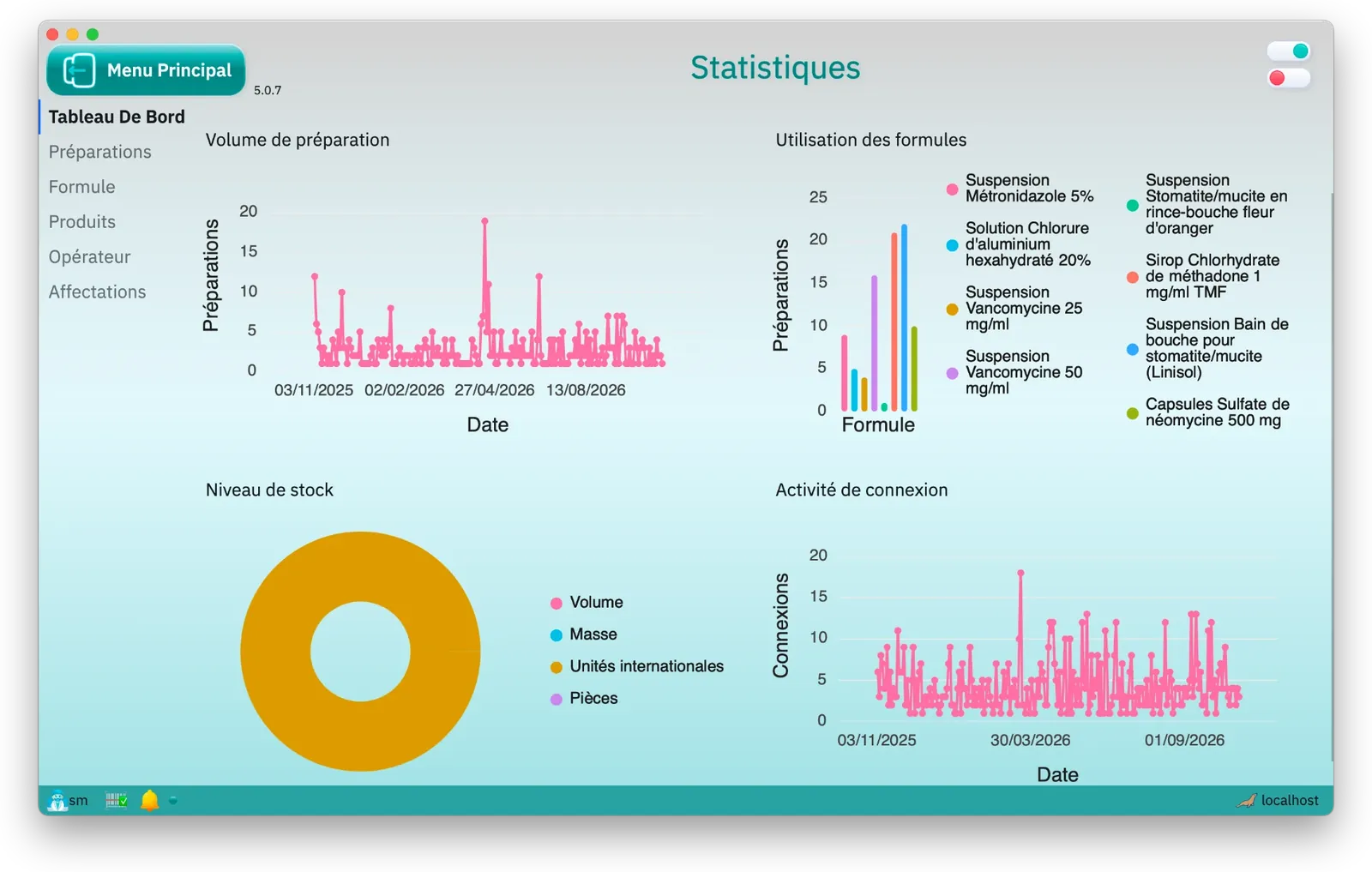
Compounding magistral preparations
LMT PRO is software for compounding magistral preparations, called ALT PRO in German and EMT PRO in Italian: it guides each preparation step by step, reads the weight from the scale, checks every lot by barcode and records everything in the compounding record.
Connected scale
The scale is connected to the workstation: at every weighing, LMT PRO shows live where the weight stands against the target and its tolerance. Confirming outside the tolerance is recorded as a deviation.
Lot scanned at every weighing
Before each weighing the lot is scanned. LMT PRO checks it against the step's ingredient and refuses a wrong, expired or unreleased lot.
Approved formulas
Only an approved formula can be compounded. Editing it withdraws the approval until it is approved again, and LMT PRO keeps every revision.
Triturations and dilutions
Triturations and dilutions are preparations in their own right, with a batch and an expiry date. When a formula uses one, the scale asks for the amount that carries the substance required.
Capsules and suppositories
Quality control weighs a sample for uniformity of mass under Ph. Eur. 2.9.5. LMT PRO proposes how many units to weigh, and the limits are set per pharmaceutical form.
Labels
The label carries the required particulars: pharmacy, patient or ward, formula and substances, batch, preparation and expiry dates, storage, directions for use and a barcode of the preparation. The template is set per formula.
Quality control, step by step
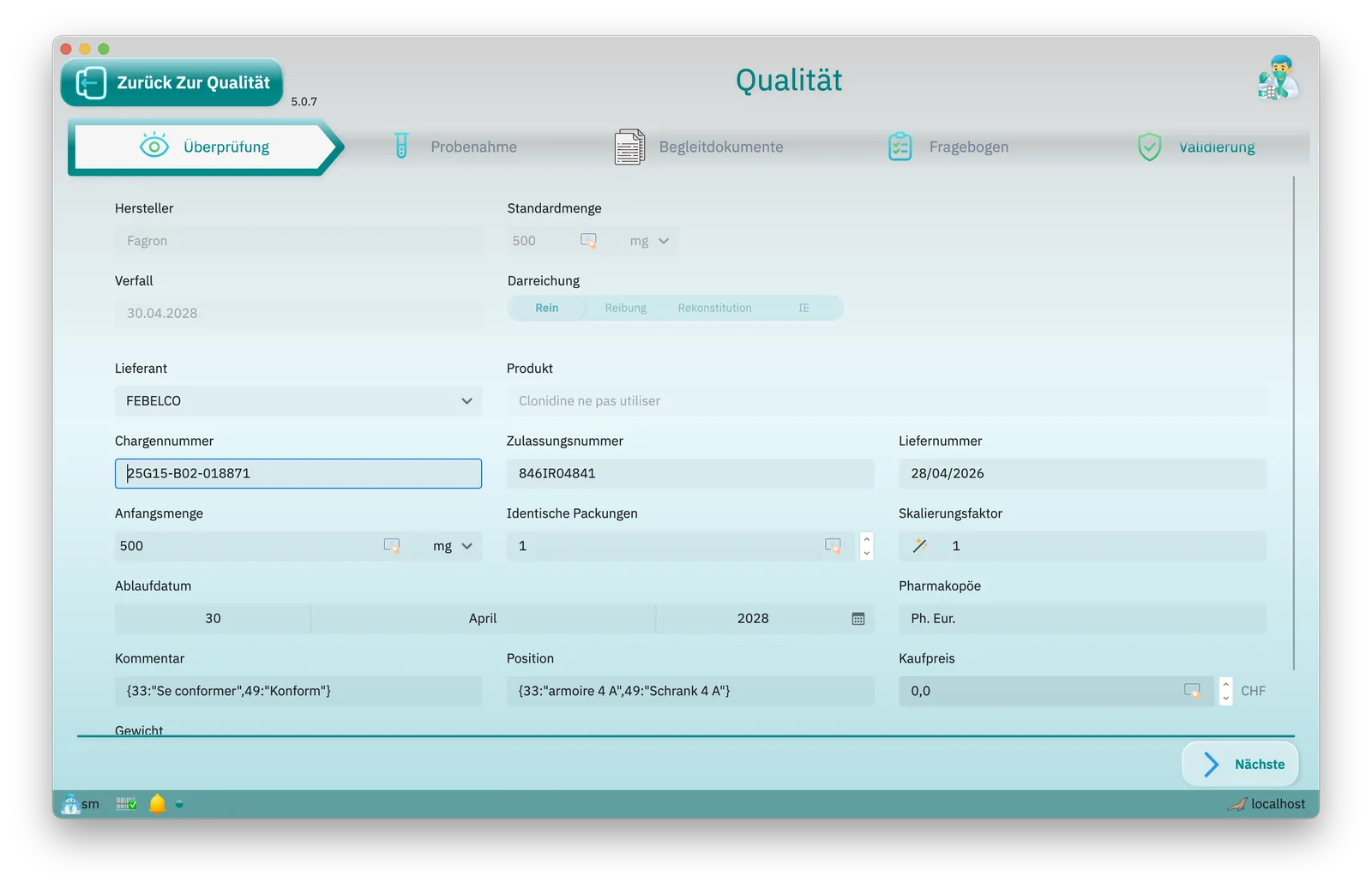
Every lot checked on arrival
A new lot stays uncontrolled until it is reviewed: supplier, lot and authorisation numbers, expiry and pharmacopoeia, checked against the delivery note and the certificate of analysis. Once approved, it can be used in compounding.
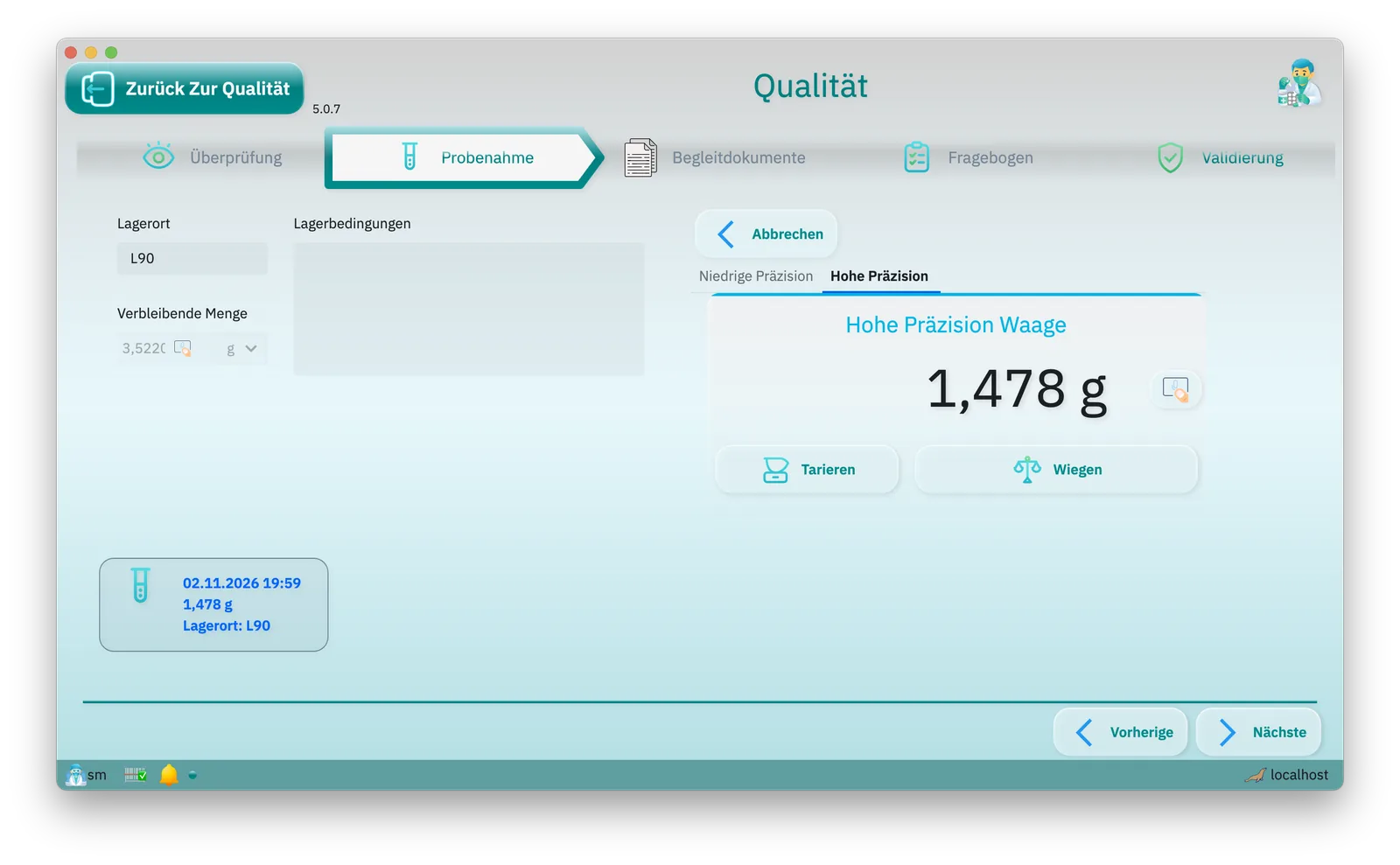
The sample, weighed
The sample is weighed on the connected scale and recorded with its location, storage conditions, operator and time. For a controlled substance, the container is weighed before and after.
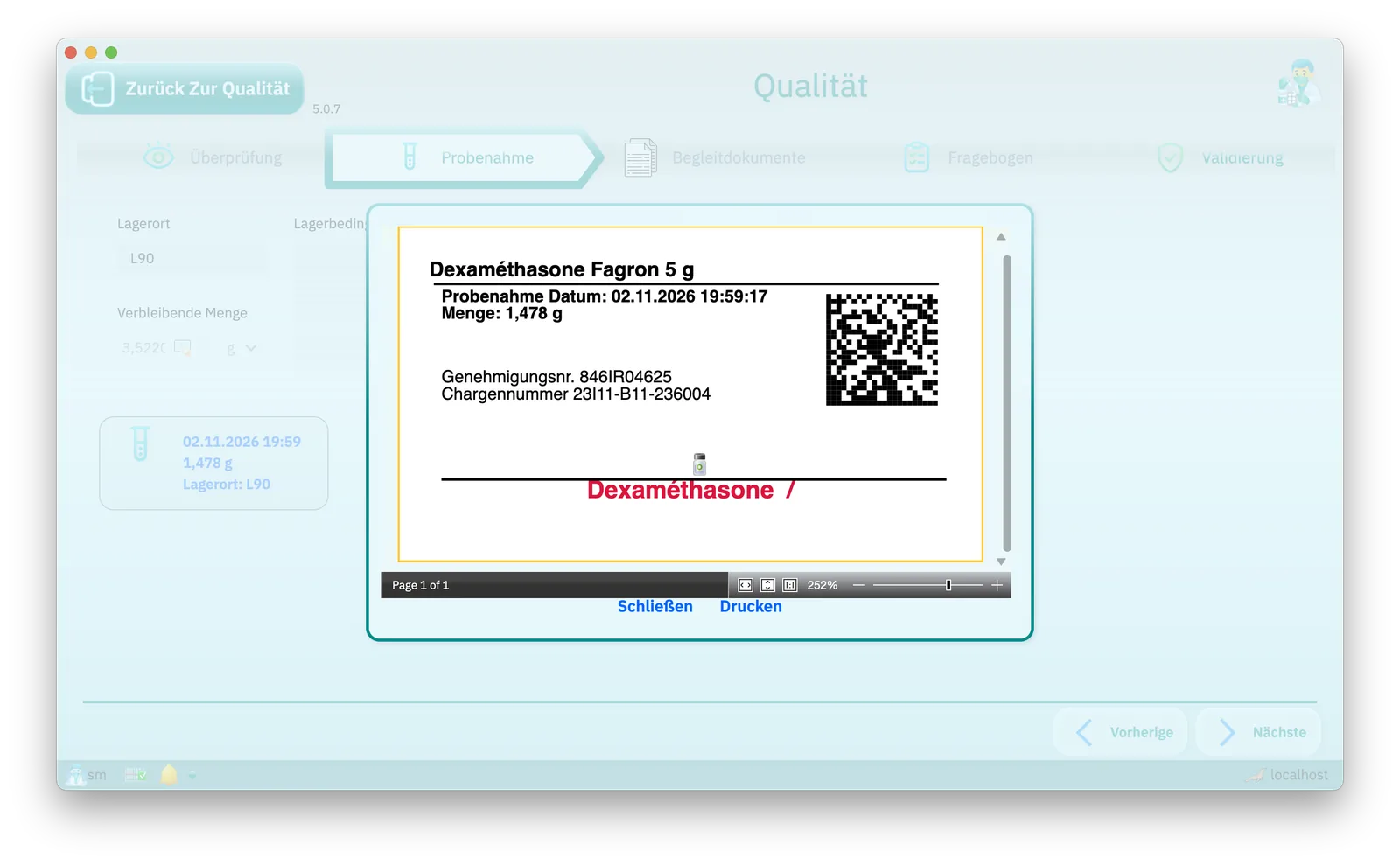
The sample, labelled
Each sample gets its own label: sampling date, quantity, authorisation and lot numbers, and a code to find it again.
The preparation, released
Before release, the reviewer goes through every executed step, expected against actual, every weighing within tolerance, every deviation justified; then sampling, testing, conformity and losses. Only a released preparation can be dispensed.
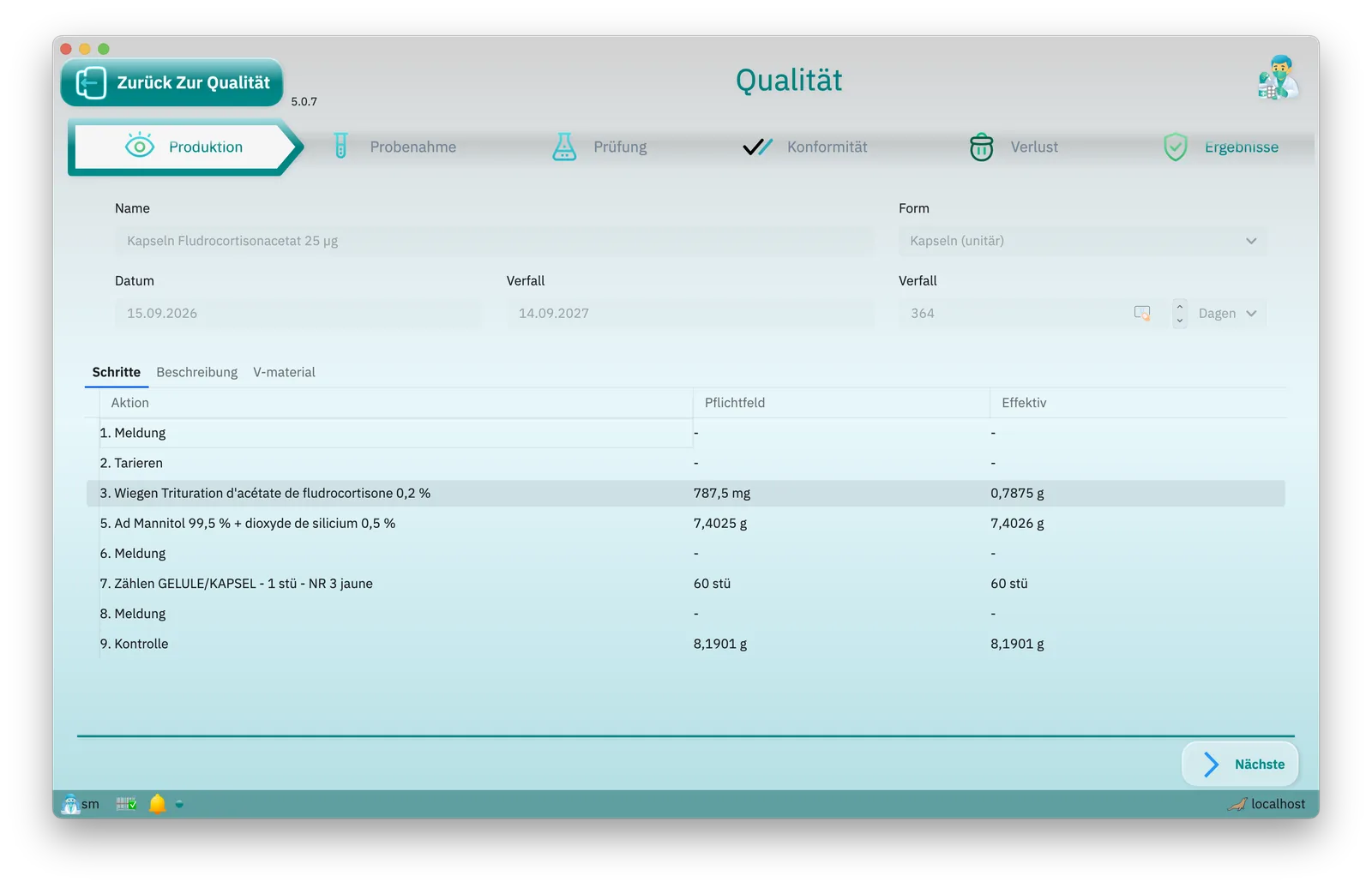
Ready for inspection
Compounding record
Every preparation produces a compounding record with each step, weighing and lot used, together with a certificate of conformity.
Audit trail
Every change, sign-in and electronic signature is recorded with the person and the time; nothing can be altered or backdated afterwards.
Traceability
From the lot received, through the weighing, to the preparation: LMT PRO shows which lot went into which preparation, through triturations too.
Release
A preparation is released or rejected after quality control; a preparation that has not been released cannot be dispensed.
Narcotics
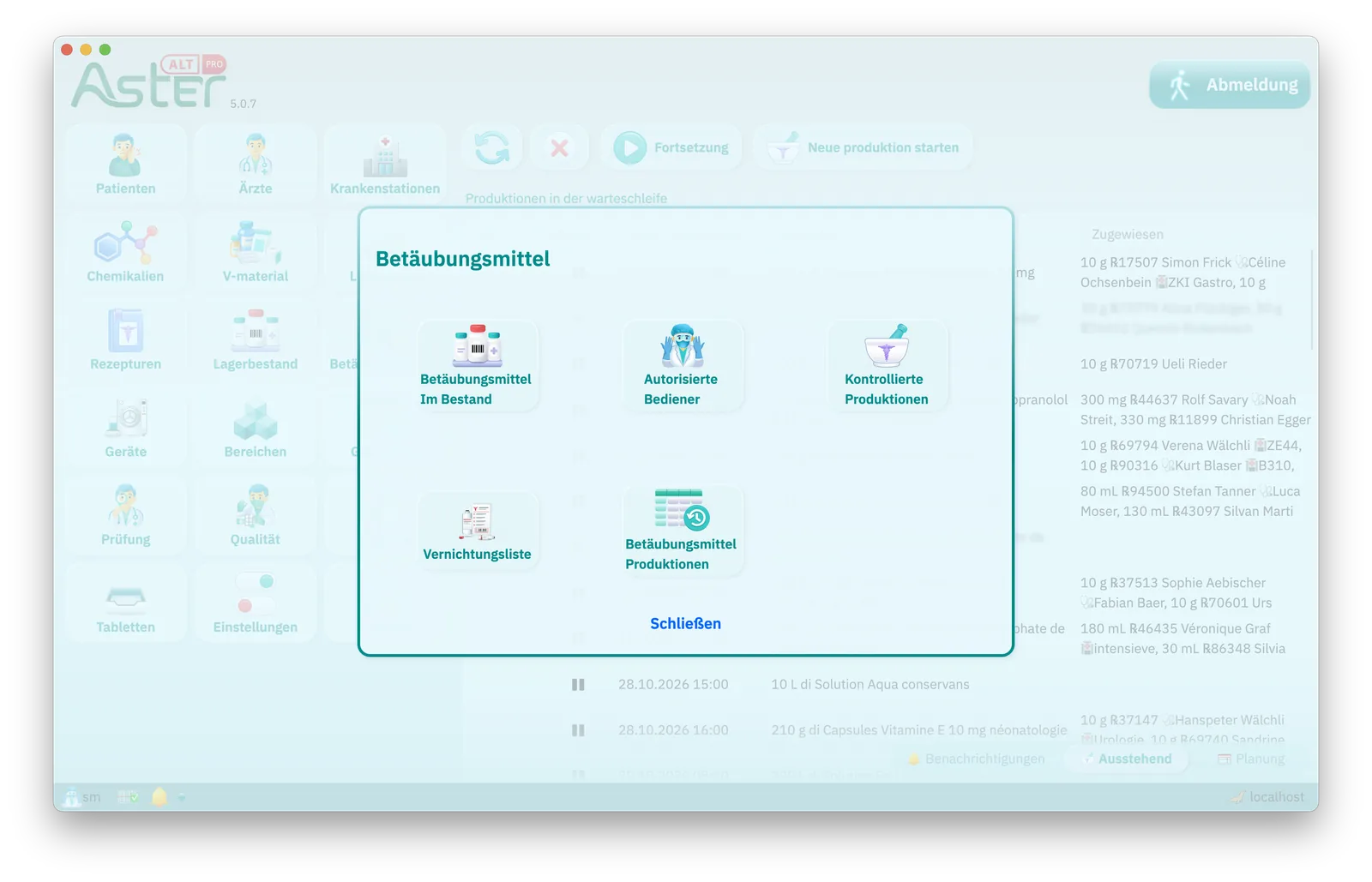
A dedicated menu produces the list of authorised users, the narcotics stock, the controlled preparations and the destruction list. Before and after every weighing, LMT PRO checks the container's content on the scale, each operation requires a witness's countersignature, and on screen the preparations carry the Swiss symbol.
Runs on
macOS
iOS & iPadOS
iPad at the bench

Android
Tablets and phones
Windows
Windows on Arm
AI on the NPU

Linux
Tux: Larry Ewing and The GIMP. The Android robot is reproduced or modified from work created and shared by Google and used according to terms described in the Creative Commons 3.0 Attribution License. Linux is the registered trademark of Linus Torvalds in the U.S. and other countries; Android is a trademark of Google LLC. macOS, iOS, iPadOS and Windows are trademarks of their owners; their icons here are our own drawings.
Questions about the software and the tariff
What does compounding software do?
It guides each magistral preparation step by step and documents it. LMT PRO reads the weight from the connected scale, checks every lot by barcode, records each step in the compounding record and prints the label. It also prices each preparation under the Swiss list of medicines with tariff; in German it is called ALT PRO, in Italian EMT PRO.
How does LMT PRO price a magistral preparation under the Swiss tariff?
The price is the sum of the substances by quantity band, the containers in whole containers and the manipulations in tax points at CHF 1.05; an SL specialty is found by its GTIN and charged from its public price. LMT PRO shows the breakdown on the formula, when the formula is chosen during compounding, on each assignment and on the invoice, by the same rules everywhere. A line without a tariff price is estimated from the sale prices of the packs in stock and marked with an asterisk, or shown without a price.
Does LMT PRO keep up with new tariff editions and the SL?
Yes. The tariff tables ship with the application, so each new edition of the ALT, LMT or EMT arrives with an LMT PRO update. The Specialties List (SL) is downloaded from the federal publication service under Preferences, and LMT PRO flags it once it is more than 30 days old. When a specialty with an older price is opened, LMT PRO compares it with the published price and offers to update it, without overwriting anything silently.
How do the connected scale and the lot checks work?
Before each weighing the lot is scanned: LMT PRO refuses a lot of another substance, an expired lot, a lot past its period after opening and a lot not yet released. On the connected scale, a bar shows live where the weight stands against the target: green within tolerance, yellow in the alert band (±10 % by default), red beyond it, where the weight cannot be accepted by default. Confirming a weight outside tolerance records a deviation with its category and a justification.
How are formulas approved, and how are triturations handled?
Only an approved formula can be compounded; approval is an electronic signature recorded with the person and the date. Any edit withdraws the approval until the formula is approved again, and each preparation refers to the exact version it was made from. Triturations and dilutions are preparations in their own right, with a batch and an expiry date; when a formula uses one, the scale asks for the amount that carries the substance required.
How does quality control work for capsules and suppositories?
For capsules, suppositories and tablets, the control step weighs a sample for uniformity of mass under Ph. Eur. 2.9.5: LMT PRO proposes how many units to weigh, applies the tolerance of the pharmaceutical form and shows whether the batch passes. The limits are set per pharmaceutical form in the preferences, together with the sampling rule. The preparation is then released or rejected in quality control with an electronic signature; a preparation that has not been released cannot be dispensed.
What does LMT PRO print: labels, compounding records, certificates?
The label carries the pharmacy, the patient or ward, the formula and its substances, the batch, the preparation and expiry dates, the period after opening, storage, directions for use and a barcode that leads back to the preparation. The template is set per formula and prints on a label printer or on A4 label sheets, from any free position. Every preparation also produces a compounding record with each step, weighing and lot used, and a certificate of conformity, both ready to print from the history.
Is LMT PRO ready for a cantonal inspection?
Every change, sign-in and electronic signature is in the audit trail, with the person, the old and new value and the server time; the trail can only be added to and is kept for the life of the installation. Traceability runs both ways: from the lot received, through the weighing, to the preparation, through triturations too. From the history, each preparation can be followed from its formula version to the steps as executed, and printed.
How does LMT PRO handle controlled drugs?
A dedicated menu produces the list of authorised users, the controlled-drug register with every stock movement, and the destruction list. Before and after every weighing of a controlled drug, the container is weighed on the scale and checked against its recorded content, and each operation requires a witness's countersignature. Only users holding the matching right can open controlled formulas and preparations; for everyone else they appear blurred.
Does LMT PRO help with the risk assessment under Annex 3 AMBV?
Yes. In the statistics, LMT PRO sums a formula's annual production from its completed preparations, multiplies the five factors chosen by the responsible pharmacist and compares the score with the site's threshold, 100 by default. It shows the five factor values, the score and the indicated licence route: cantonal or Swissmedic.
In which languages does LMT PRO work?
In German, French or Italian, as each user chooses: the language follows the person signed in, whatever the workstation. The tariff's manipulations appear in its own wording in that language, and the module is called ALT PRO in German, LMT PRO in French and EMT PRO in Italian. LMT PRO is also available in further languages.
Which devices does LMT PRO run on, and where is the data?
LMT PRO runs on macOS, iOS and iPadOS, Android tablets and phones, Windows, Windows on Arm and Linux. The database stays on your premises or in your own cloud: local for a single workstation, or on a shared database server for several. Your data stays yours, with no lock-in.